
I was first introduced to Claude at work (because I work for a Big Tech Company). Originally, I was pretty sceptical of anything to do with AI, and generally leaned negative on it due to ethical and moral concerns around the conduct of the companies involved.
To this day, I still have my reservations, though my position on IP law as a whole is relatively conflicted as I’m both opposed to its existence but also opposed to how it’s been trampled to hurt artists.
Anyway, that’s a topic for another post. I’m going to need to simmer for longer on that one.
Something strange happened last year. As people around me started seemingly using these systems effectively - something I didn’t know how they could even do - I was interested in learning more about how to use these systems for myself, so that I properly understood how people can evangelise these things so thoroughly, when from my perspective, they were mostly just semi-useful stochastic parrots.
So over the last week, I invested about $200 USD into creating a reference Vulkan renderer for Cavey, my voxel game I’m working on for fun. There’s going to be no hyperbole and no glaze in this post; I sunk my own earned money into this thing, and in exchange for that money I expect results.
Let’s see how Claude did on my personal, army-of-one project. Interspersed between the anecdotes, I’ll share my thoughts on various parts of the process.
Baby steps: porting a WebGPU renderer to Vulkan
If you know me, you know exactly how disillusioned I am about WebGPU. It’s a great idea, and certainly good enough for many projects, but it’s a very slow-moving graphics library with lowest-common-denominator features and a few painfully design-by-committee choices, like the endless annoyance of not using an industry-standard shader format - for strangely secretive reasons?
I had had enough. WebGPU wasn’t going to cut it for me or for this project, so it was time to move on. The obvious choice for my target spec device - the Steam Deck OLED - would be Vulkan, which natively exposes all of the features of that device (including HDR rendering, which I was particularly excited about). It’s more general while still being widely supported, but unfortunately also more complex as it foists more responsibility onto the programmer (with dubious payoff).
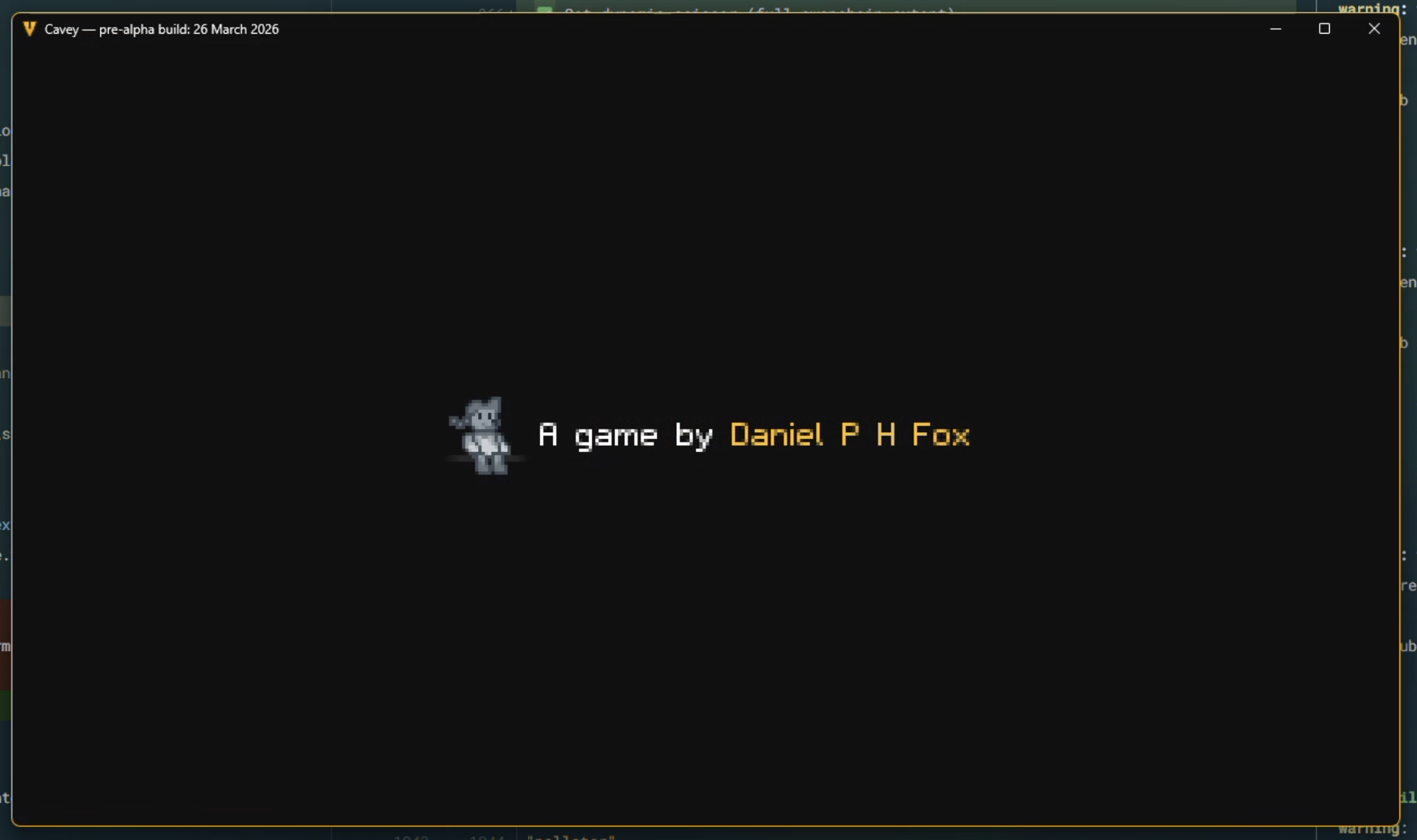
To start weaning Cavey off of WebGPU and towards Vulkan, I had built version 3 of Cavey’s high-level rendering abstractions to be completely opaque. Anything built on this renderer wouldn’t know what graphics library it was interfacing with. I had already set up some basic-enough plumbing to get a splash screen rendering under WebGPU, but nothing more:
Under the hood, the frontend API was simple and declarative; it’s a static render-graph-style API, just minimally flexible enough for a renderer that’d be GPU driven. Very much YAGNI-style:
pub fn new(
	frontend: &mut RenderFrontend<ChosenBackend>,
	window_size: PhysicalSize<u32>,
) -> Result<Self> {
	profiler_span!("SplashScreenRenderer::new");
	let mut g = RenderGraph::empty();

	let sync_logo = SyncSource::new(Self::load_splash_logo()?);
	let logo = g.texture(Texture::Uninit {
		label: "Splash Screen Logo".to_string(),
		size: TextureSize::D2 { size: Self::SPLASH_SIZE.as_u16vec2(), array: 0 },
		data_type: TextureDataType::Unorm8x4
	});
	g.act(Act::SyncTexture { texture: logo, source: sync_logo });

	let sync_uniforms = SyncSource::new(Self::create_uniforms(window_size));
	let uniforms = g.buffer(Buffer {
		label: "Splash Screen Uniforms".to_string(),
		initial_content: BufferData::zeroed::<SplashScreenUniforms>()
	});
	g.act(Act::SyncBuffer { buffer: uniforms, source: sync_uniforms.clone() });

	let surface = g.texture(Texture::Surface);
	g.act(Act::Raster {
		label: "Splash Screen".to_string(),
		binds: hashmap! {
			(0, 0) => RasterBind::UniformBuffer { buffer_id: uniforms },
			(0, 1) => RasterBind::SampledTexture { texture_id: logo }
		},
		push: None,
		vertices: None,
		assembly: RasterAssembly::Triangles,
		cull_back: false,
		shader: RasterShader::bundled("splash_screen::vertex", Some("splash_screen::fragment")),
		colour: Some(RasterColour {
			target: surface,
			blend: None
		}),
		depth: None,
		draw: RasterDraw::FullScreenQuad
	});
	let act_present = g.executable_act(Act::Present { surface });

	let proc = frontend.compile(g)?;
	Ok(Self { proc, sync_uniforms, act_present })
}
Claude’s job here was to write a second backend for this API that would do exactly the same thing that the WebGPU backend did. This would not be a 1:1 translation however; Claude would have to reason about more than what the WebGPU code provided, for example handling the synchronisation between host and device, managing the swapchain itself, and handling resource state transitions, to name a few things.
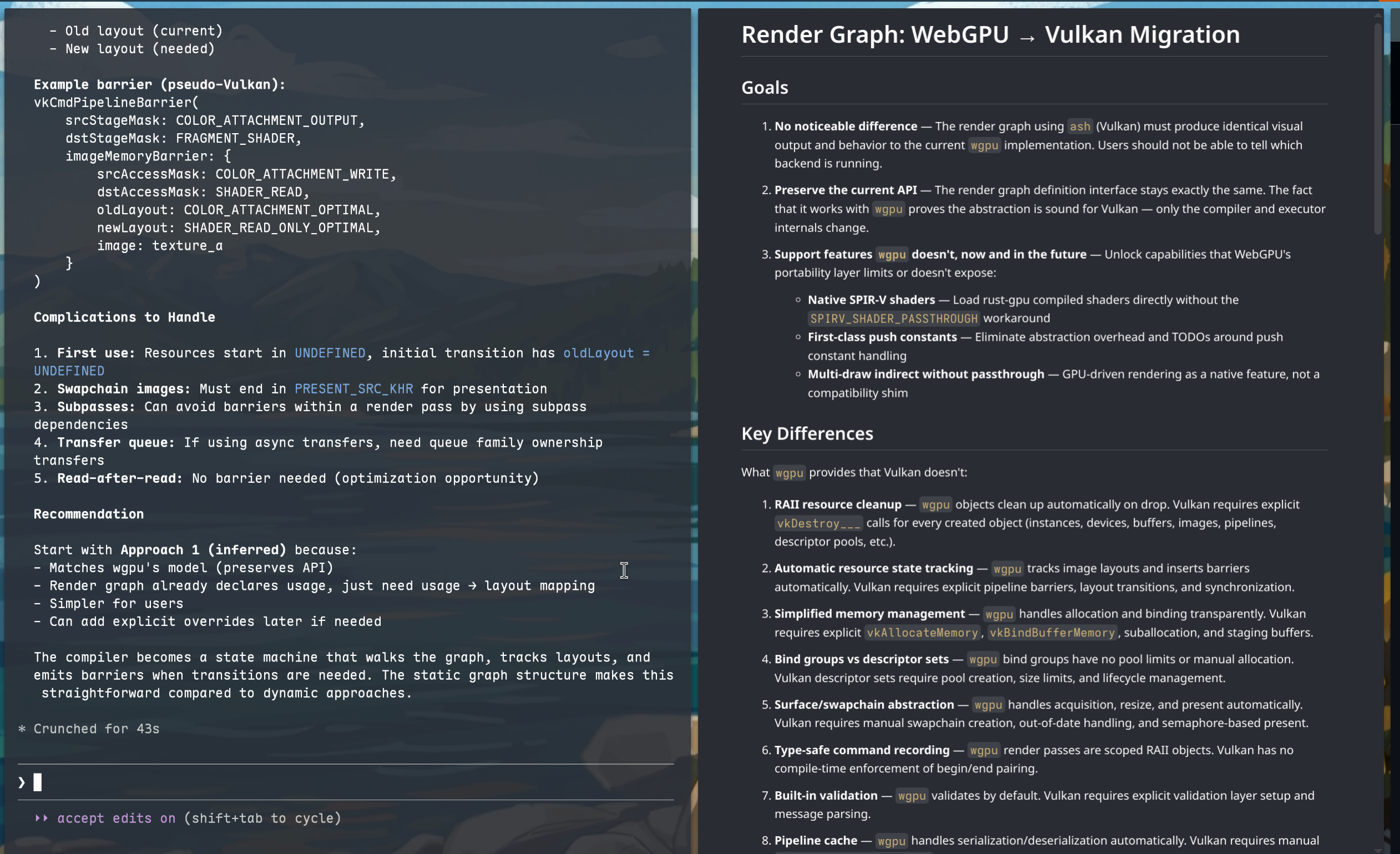
It started on the 13th of March with a technical doc, written as a collaboration between myself and Claude on my laptop. I didn’t have a working desk setup as I had only just moved across the Atlantic:
By the 25th of March, I had my desktop in basic working order and could hit the ground running. I put Claude in the driver’s seat and paid a finite amount of attention to what it was doing. My job was to specify what Claude should do and to direct high-level design decisions; I wasn’t particularly interested in specifics of how Claude chose to set up the device or other minutiae - those aren’t the bits worth caring about. Essentially, I was a principal engineer pair programming with a digital intern.
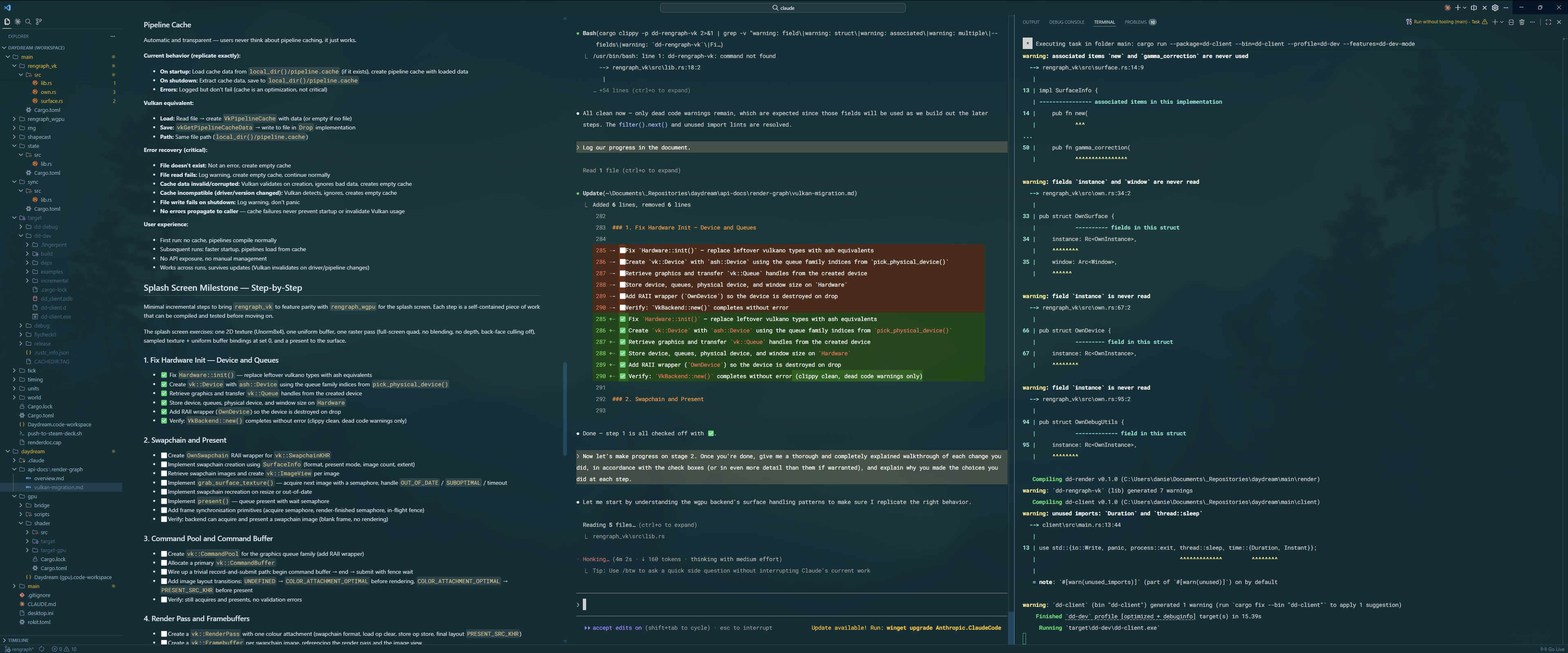
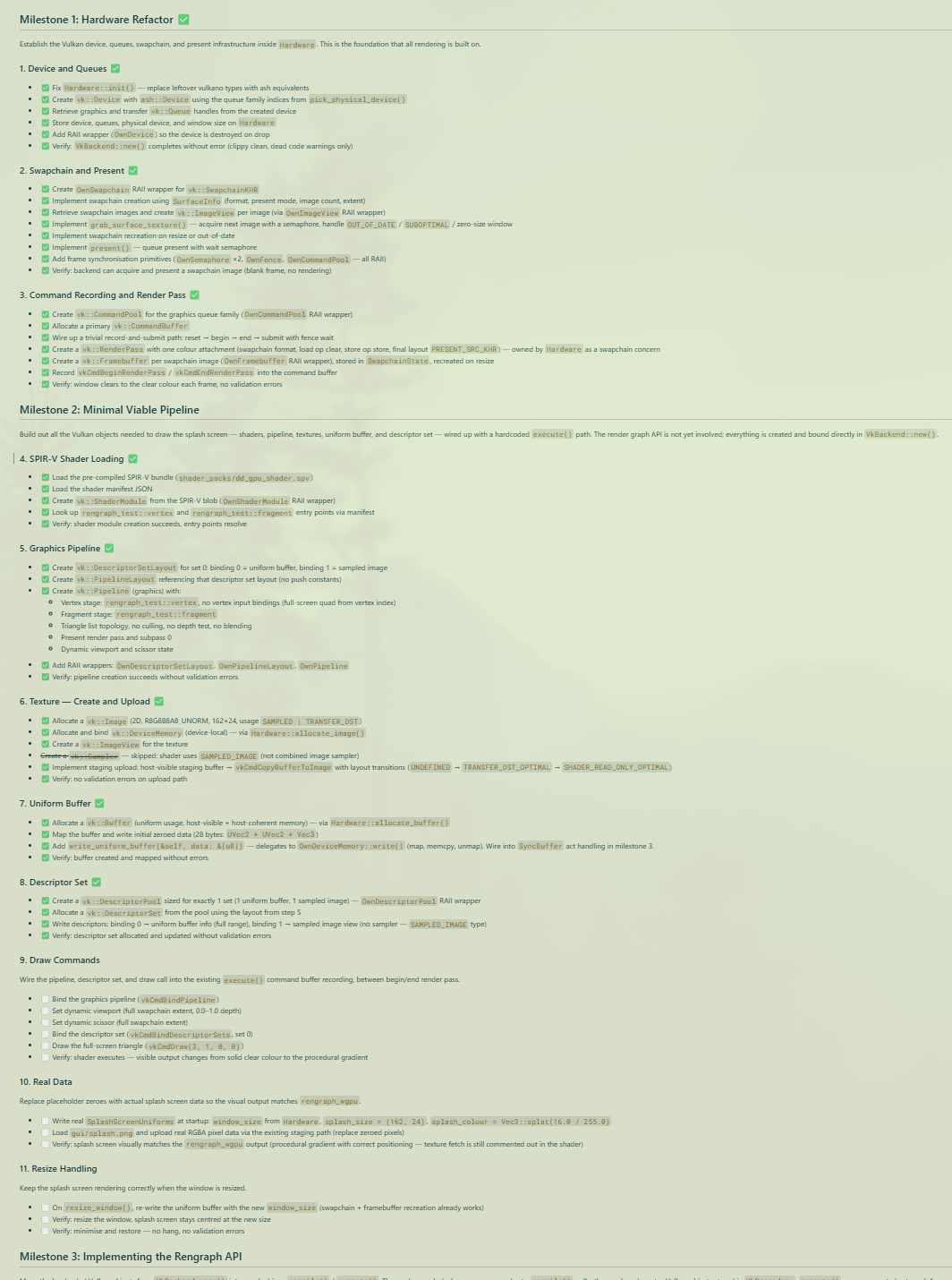
The next day, we together had successfully burned through a massive number of the tasks, and by the end of the day, had recreated the splash screen fully, with some back-and-forth to resolve some of the bugs and edge cases that cropped up. All of our plans were documented in Markdown files and we ticked off each set of steps as we completed them.
For context: this Vulkan transition is a leap I had put off for months, not just because I had to move countries, but because it was a mentally tiring / overwhelming task. I knew the outline of what needed to be done. I could do it if I bothered to, but I didn’t have the executive function to do it when there was always something else to be thinking about.
That said, working it out with Claude made all the difference, because of the way you have to use these bots to get value out of them.
Claude is not boundlessly superintelligent. I’d compare it to an adequately capable university student. If you ask Claude to synthesise whole codebases from nothing, it’ll do a serviceable job, but probably not a good job. Tick the boxes, hand in the assignment, leave it to bitrot.
Whenever I’ve worked with Claude at my day job, I’ve figured out that really, you’re still the software architect, because Claude can’t be. At the end of the day, the latent space of possible code generations is far more populated with bad solutions than good ones as a pure statistical fact (there are more ways to screw up code than there are ways to write it correctly), so your job is to bias the code generation in a direction that lands you in a good part of the latent space, for what your definition of “good code” is.
So, I’ve learned to essentially “code in English” by precisely and comprehensively specifying what the software should do, chunking it down into tiny bite-sized steps, and getting Claude to just do them, with no grand architecture or plan in mind - essentially, doing Semantic Compression but with a robot.
It turns out this approach is good for both humans and for AI. By breaking down the problem into manageable chunks, I could better understand what steps needed to be taken, and Claude could expose areas where I didn’t specify enough at the desired level of detail. For those gaps, I would go out and find lectures on YouTube, or blog posts on the internet, and synthesise a strategy to come back to Claude with and finish the plan.
It’s a kind of synergy where Claude points out the problems, I figure out the solutions, and Claude fixes the problem with my solution.
It worked really well. I got the thing ported in a day. I would happily use Claude for this again.
Extending further: building a Slang voxel ray tracer
I wasn’t about to build out the whole render graph API with no project to apply it to. Instead, I was fully intending to build the railroad as the train was moving.
So, I dove straight into Claude’s main assignment: building out a new reference ray-tracing renderer for my voxel game.
I took a similar approach; asymmetric pair programming with comprehensively planned documents prepared upfront. However, I did something slightly different this time; I also got Claude to do a round of research specifically into 64-trees and fast voxel ray tracing, so that I could come up with a good acceleration structure using them. I specifically asked for evidence to back each technique and approach it researched, which yielded good results out of the gate:
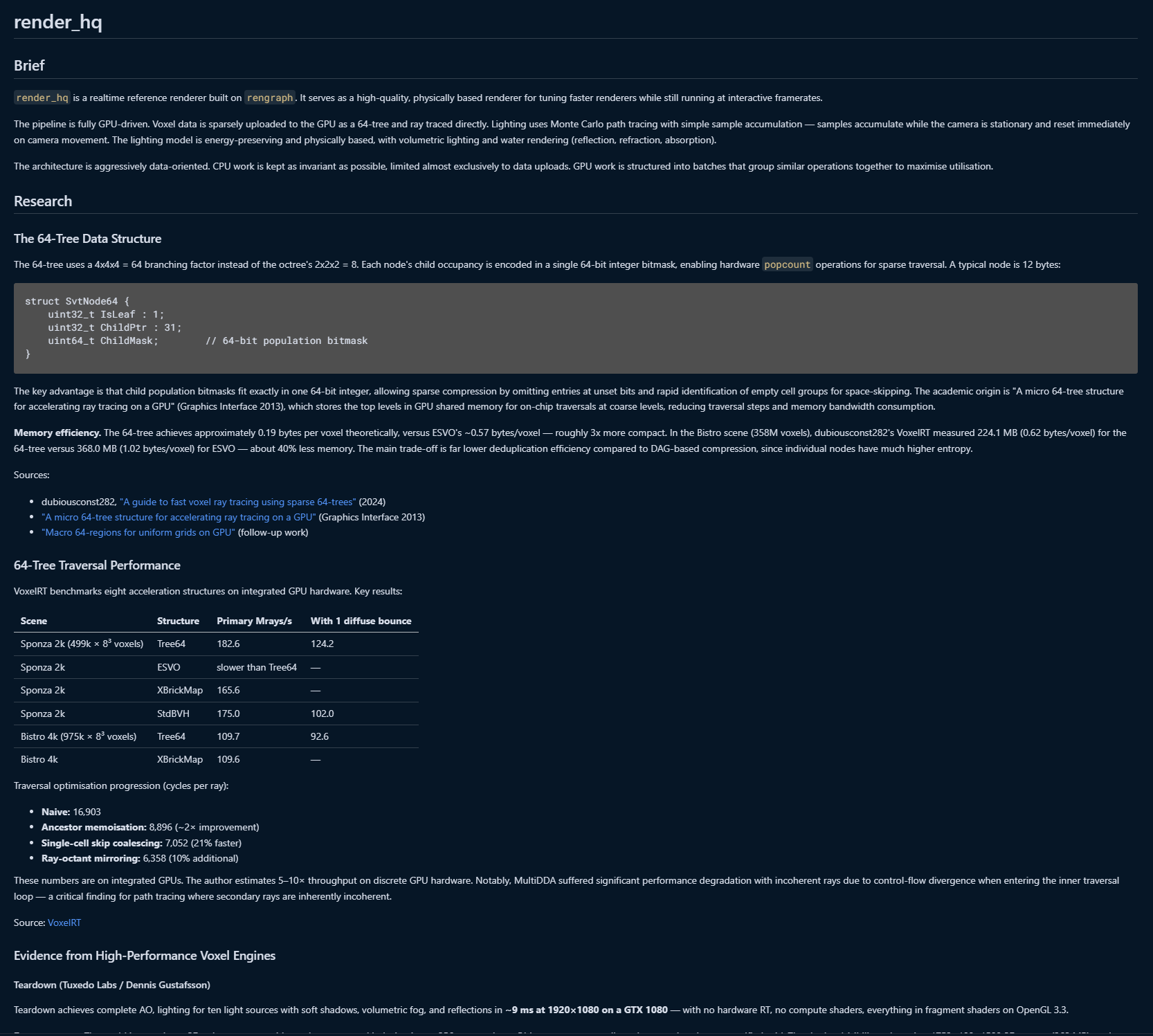
By April Fool’s Day, we had set up a simple ray-traced scene, ready for integrating these ideas into. I didn’t have to recall any of my memorised equations or look up the Ray Tracing books online; Claude is one of the best math equation recallers in the world, even if it struggles to actually do the math. (Just like a uni student, one might say…)
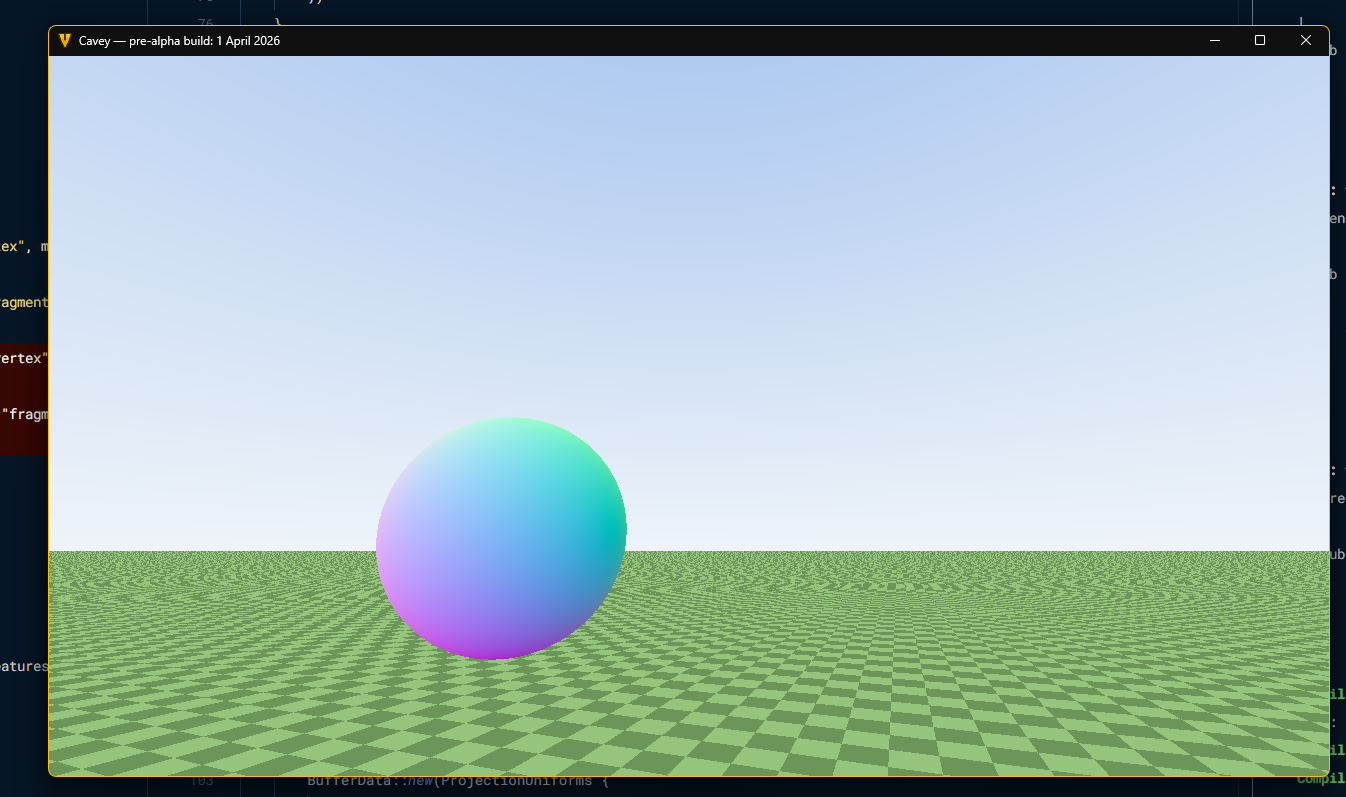
The next day, I had it implement a routine for tracing a single 64-bit 4x4x4 chunk, and then had it extend to a whole contiguous world. At this stage, it was still completely separate from the rest of the game, so this terrain wasn’t “real”, but it was good enough to test the ray tracing approaches we had co-designed. Performance was great:
Runs at 90fps on Deck, pretty goooood
— Daniel P H Fox (@phfox.net) 2 April 2026 at 22:26
[image or embed]
By the very next day, we had planned and executed on the steps necessary to wire in actual voxel data from the rest of the game. At this point, I identified some latent bugs in the code and struggled a little bit to get Claude to fix them.
Here’s where we talk about Claude’s tendency to go off the rails sometimes. Much like a naïve uni student, it will often try and hack its way around a problem rather than taking the principled path, and oftentimes will run with a completely unjustified diagnosis that can often end up being completely wrong.
That is to say, you should not trust these things to be correct. They’re very productive idiots.
Throughout this process, I have spent a good amount of time intervening in what Claude is doing. I’m quick to interrupt and quick to correct, and if I feel like something has gone far off the tracks, I know how to rewind to an earlier point in the conversation and nuke the code changes.
I’ve often had to remind Claude that we’re allowed to build out the rengraph API, or that things are meant to happen on the GPU and should not be synced back to the CPU, or that recompiling the graph every frame defeats the point of having a static compiled graph and that it should prefer declarative solutions.
Some of that is wisdom, some of that is taste. Claude needs it to stay on the rails.
This is why I say that you can’t let Claude be completely in the driver’s seat. Left alone, it will make counterproductive choices that don’t fit into a larger vision of the system, especially across chat compaction boundaries or across sessions. Pretty much: enjoy Claude’s memory of what it did while it remembers because it will be gone in an hour’s time.
End game: a beautiful reference renderer
Anyhow, with the core ray tracing routine set up, it was time to start decorating the voxel scene and working towards something with the graphical fidelity needed to produce reference renders for assisting in future rendering decisions.
On the 4th of April, we started experimenting with porting the old renderer’s UV mapping code to render albedo colours. There were bumps in the road because Claude hadn’t kept track of the different coordinate spaces, so for a while, the UVs were all camera relative:
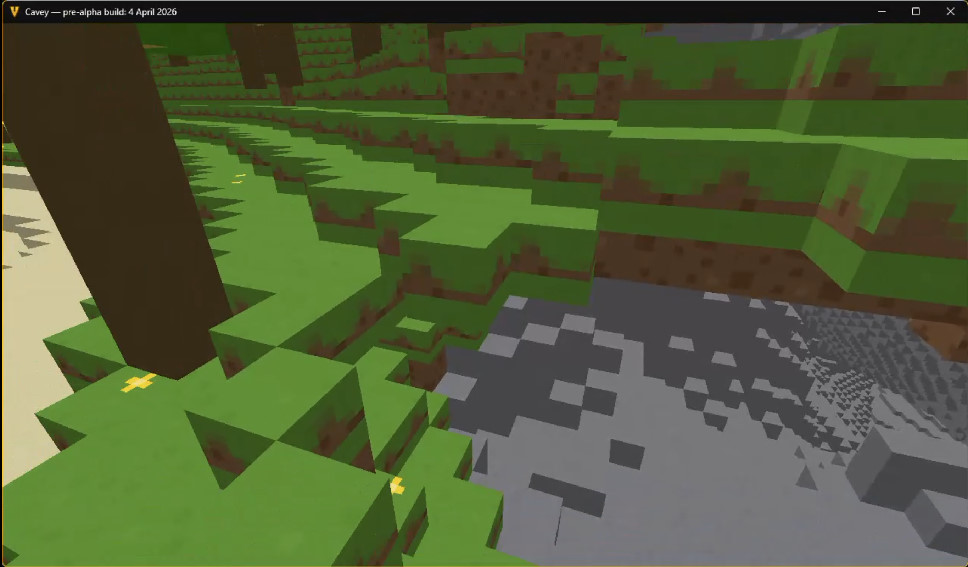
The bug was quickly identified and fixed, and not long after, we had incorporated the normal and AO maps alongside albedo to get a more complete-looking scene with very little difficulty.
Now rendering albedo, normal and combined AO/emissive maps in the ray tracing path! Still no water pass as that's more complex to pull off. Next up: going to start setting up a proper tonemapping pipeline and get some antialiasing in there.
— Daniel P H Fox (@phfox.net) 4 April 2026 at 19:49
[image or embed]
I also got Claude to port over the “smart bevels” code that would bend the normals of texels that lie along the exposed edges of blocks. This worked flawlessly first try with no planning needed.
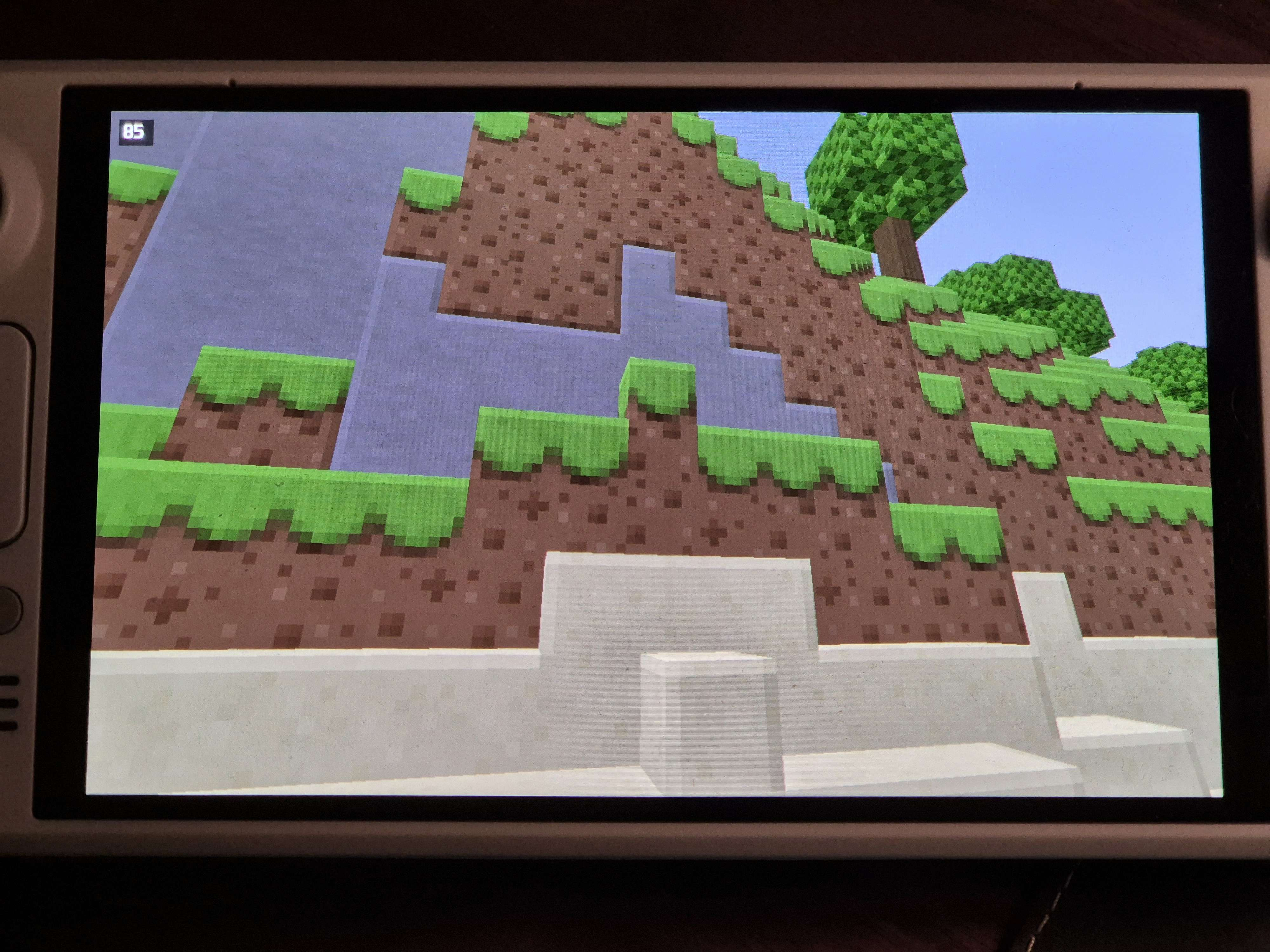
From there, I turned my attention to tonemapping. I had Claude do a bunch of research into which swapchain format should be used for HDR, and how to query parameters like peak display brightness.
I often find myself having extended conversations with Claude about technical decisions like these. At first, Claude advocated for the use of PQ with physically-based luminance values, which I respected, but ultimately didn’t see much of a point in pursuing as I had less use for declaring absolute nit values for my renderer. Instead, I pushed back and advocated to Claude that the scene should internally be rendered with physically sensible lighting intensities, but that the output doesn’t have to be calibrated for a reference display; it just needs to look good on people’s real-world devices, which meant having a properly calibrated paper-white in the scene.
We ended up settling on scRGB with the Uchimura tonemapping curve applied per-channel for simplicity, parameterised by the properties of the display so that HDR-capable devices like the Steam Deck could punch above paper-white while SDR displays would look reasonably consistent, minus the shine.
Simultaneously, I took the opportunity to tell Claude to implement a jittered accumulation buffer for some antialiasing, as an input to the tonemapping pipeline:
Accumulating multiple samples per pixel in the ray traced path now. (Not TAA, no reprojection - just to get cleaner reference stills.)
— Daniel P H Fox (@phfox.net) 5 April 2026 at 12:04
[image or embed]
Up until this point, it had all been smooth sailing. Now for the biggest challenge so far; building out a physically based lighting model.
My end goal here was not necessarily photorealism, but instead physical plausibility. I wanted to avoid lighting “hacks” as much as possible in my renderer, so that it would be easy to progressively enhance or swap the lighting techniques later down the line without interfering with content authored for older lighting systems. Having a physically plausible renderer would also aid in handing off assets between programs; for example, allowing me to author the PBR textures externally.
The goal then was to implement a Monte Carlo integrator that would sample the whole hemisphere of lighting, combine it with a physically based material to attenuate incoming light rays, then customise it to taste with a variety of stylistic tweaks, most notably a pixelation effect to match the art style of the game.
I started by getting Claude to implement random hemisphere sampling to capture the effect of sky light, plus a sample towards the sun for clear directional shadows. When discussing the physical correctness of this, Claude was able to justify it as a kind of Next-Event Estimation. At this point, we were firmly leaving the realm of full-framerate rendering and moving towards “interactive offline rendering”.
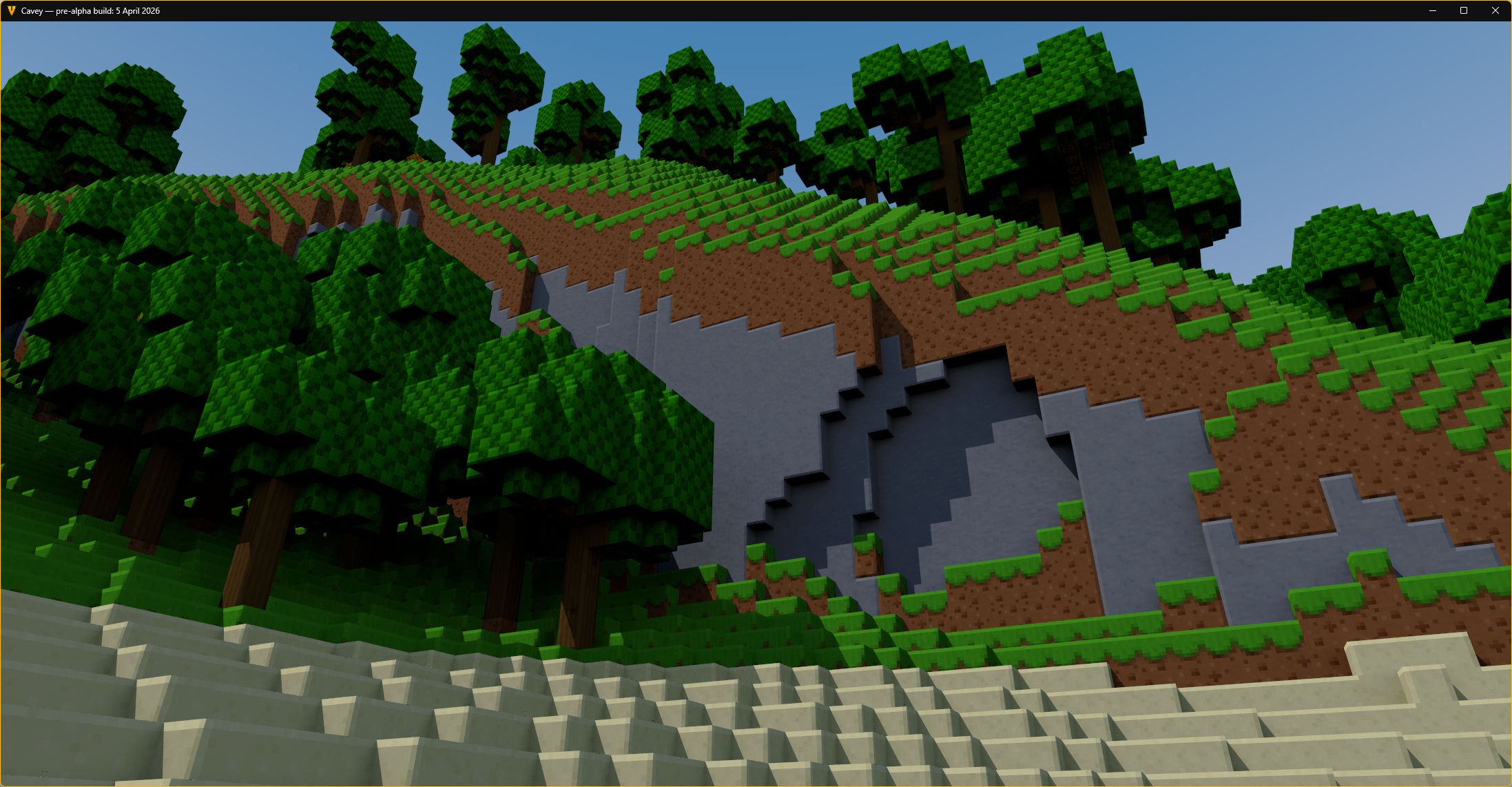
Once combined with a physically based material, this already produced some very pleasant effects; for example, by lowering material roughness, you could get nice wet-looking surfaces with smooth specular effects. Claude handled the microfacet equations here; I asked it to review the old PBR implementation and it pointed out some deficiencies that could then be trivially fixed. The results look good to my eyes, but I didn’t inspect quite so carefully.
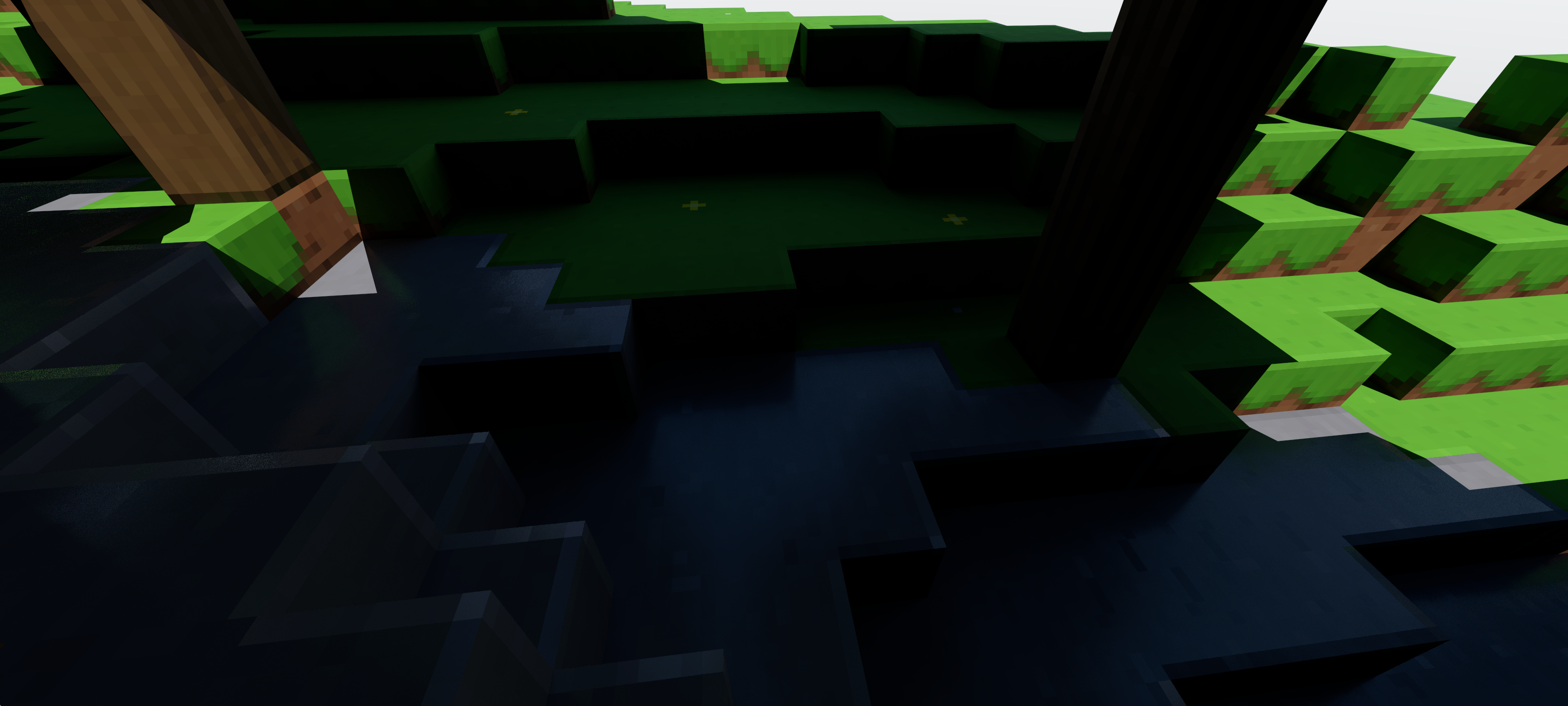
At this point, I started hitting my stride with Claude, going through the plan and execute loop at great speed (and expense). I regularly hit the daily limit, and just started spending into extra usage to keep the velocity up. I think it’s worth talking about what happened there.
When it comes to all of these lighting concepts, I’m more than familiar with them. I’ve spent a very long time thinking about lighting models for Cavey, and more generally have been interested in light transport for a long time now; coming up on half a decade.
However, I always found that ray traced lighting techniques quickly escape from the realm of easy intuiting into the realm of abstract maths and more difficult reasoning. You quickly start running into integrals and clever sampling/reuse tricks that ultimately suck a lot of the accessibility out of these lighting methods, except to those who sink a lot of time attempting to implement them and get familiar.
This is where I found Claude really helps. Because Claude has a bunch of knowledge baked into itself, it can easily execute on any lighting technique you know to ask about, and since you can ask Claude clarifying questions, it can also patiently explain the mechanics of how they work. I found this invaluable.
What’s more, since there’s pretty reasonably clear answers on how to build up these kinds of “physically correct” lighting models, Claude got a whole lot better at doing what it was supposed to do first try, so long as I kept it on the rails architecture-wise. The region of latent space associated with malfunctioning PBR equations seems to be smaller than the region associated with badly-structured code.
Back to the results. By sampling the block hit by the hemisphere ray for emissive colour and doing a secondary sunlight check, a single bounce of sunlight could be trivially added, which helped to fill in a lot of missing ambient light. Claude did this on my behalf with no trouble.
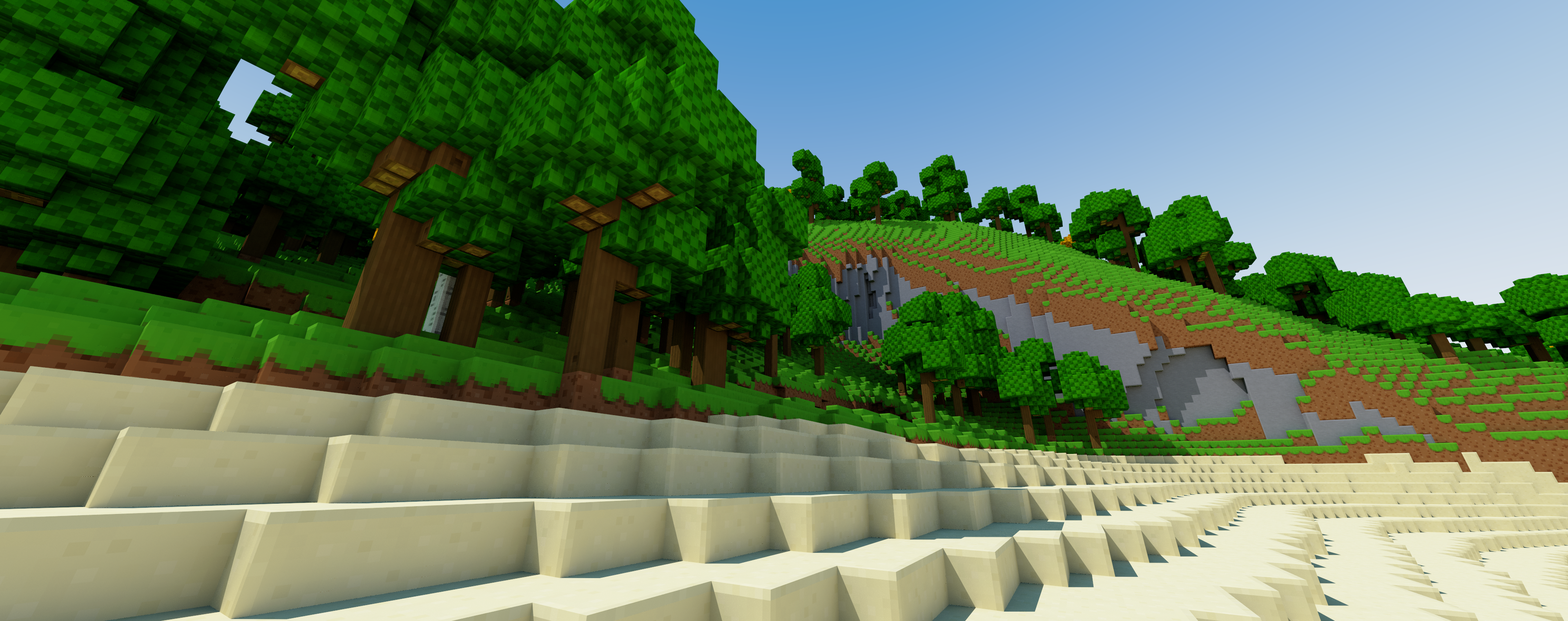
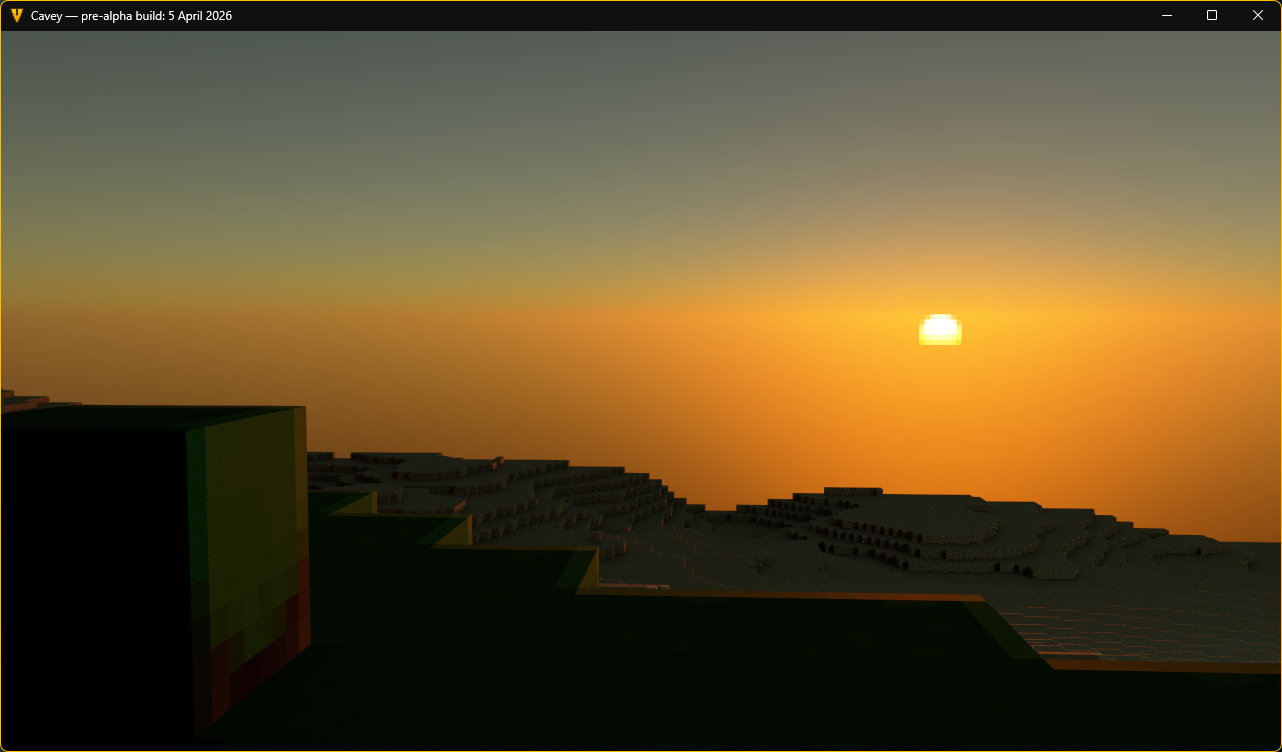
I then told Claude to port over the physically-based Hillaire sky model I had previously implemented for the old renderer, but with a twist; it should adjust the constants so that they match the new physically-correct lighting values in this renderer. It got it right on its second try; the first try made the sky a few hundred times too bright, which I had to report to it diligently.
the new reference renderer is so good
— Daniel P H Fox (@phfox.net) 5 April 2026 at 22:57
[image or embed]
That pixelated sun effect was the result of me and Claude going back-and-forth for about an hour debating what the best way of pixelating the sun disc would be. The general idea was established from the start; sample at multiple points, tonemap to predict what the on-screen colour would be, average to get antialiasing, then inverse tonemap to return back to physically-accurate values. Claude went down a rabbit hole with it and started introducing overcomplex tuning factors, but eventually I just told it to stop and reason from first principles. That pretty much directly led to the current zero-parameter solution, which looks the best and preserves its antialiased look no matter how intense the sun is.
I also briefly mentioned that sunsets were too bright, at which point it was able to immediately identify that the Mie scattering coefficient was too high. With approximately no effort on my part, sunsets immediately skyrocketed in visual quality to now looking the best they ever have. This is code that I will for-sure be reusing for the full-performance renderer.
Auto-exposure and physically based bloom were next in line. These required a lot of manual tweaking by myself in order to get right, and will still require yet more tweaking over time. However, Claude was able to get functioning versions of these right off the bat, even if they were not initially tuned well.
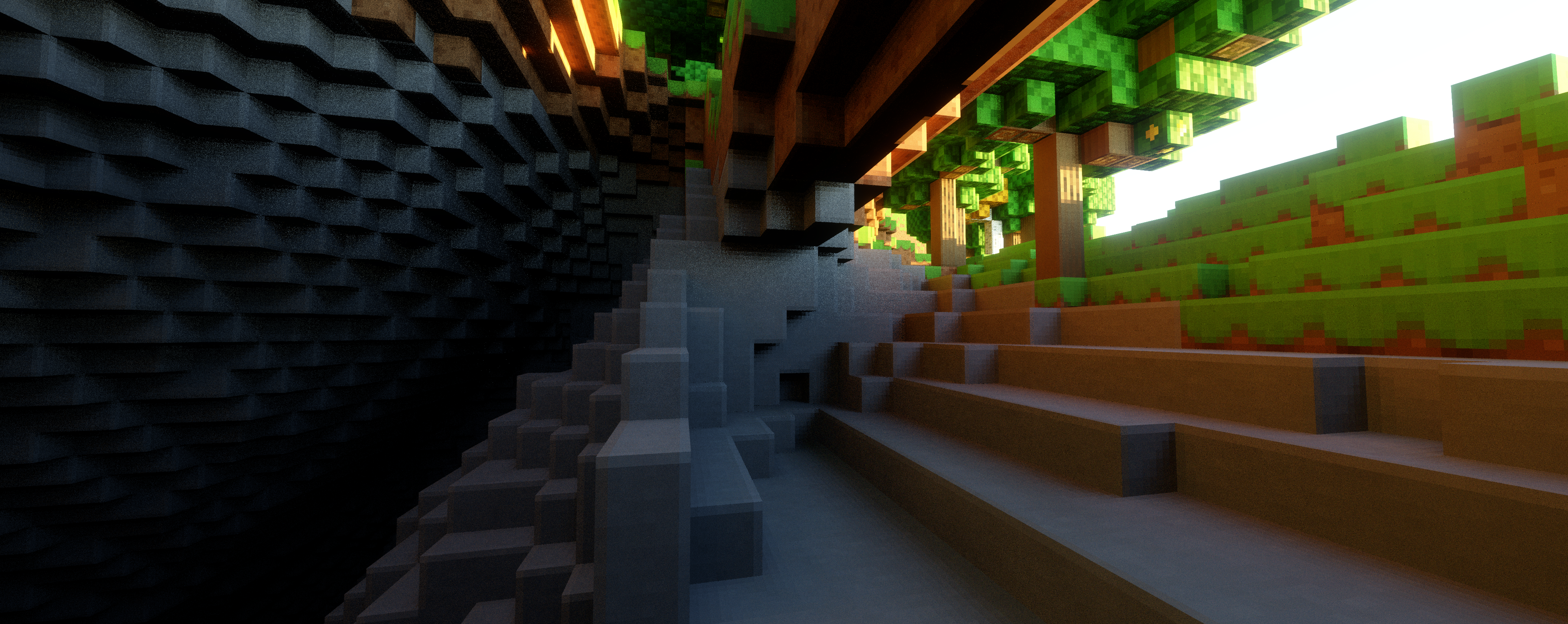
And finally, right as I was approaching my monthly spend limit I had set for this project, I implemented atmospheric fog, which was the icing on the cake. Claude executed on this flawlessly, and I did yet more manual tuning after the fact just to tone down the effect to my liking.
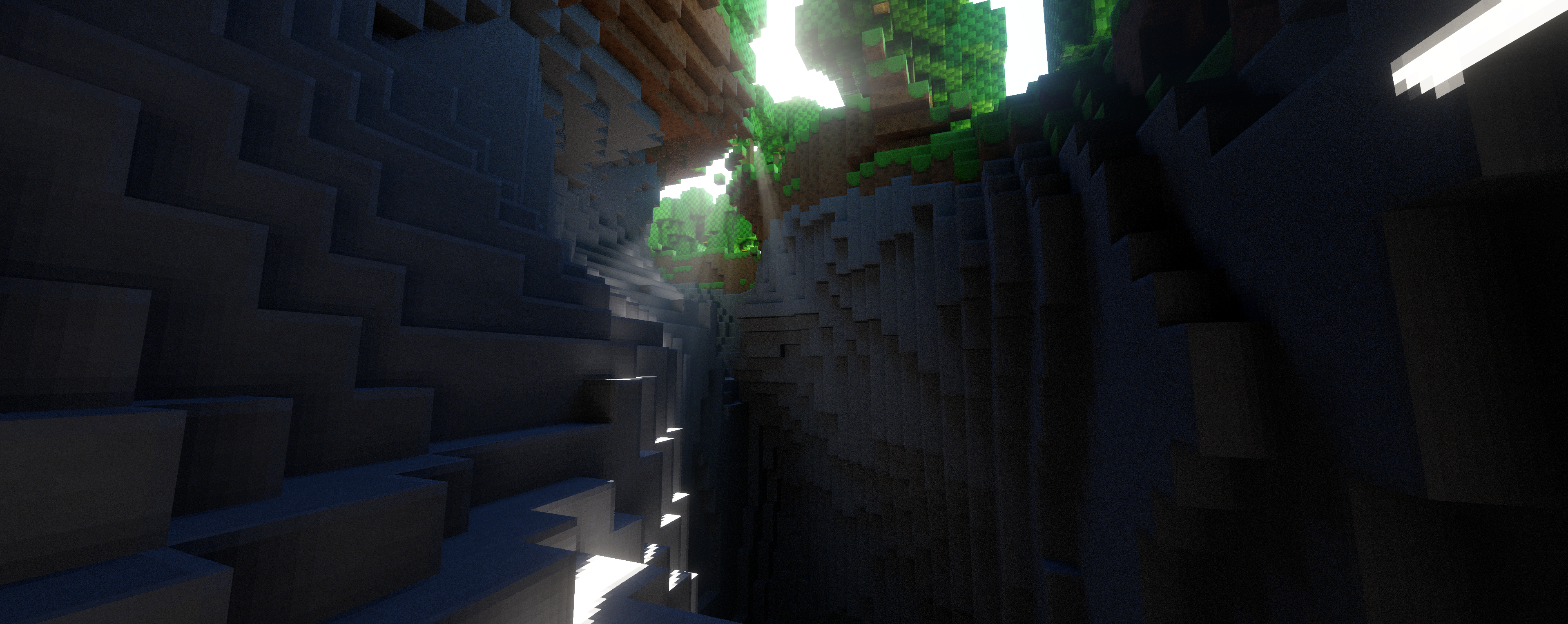
As a small disclaimer; since the purpose of this project was to produce a reference renderer, these last steps (especially volumetrics) really sent the performance over the edge for the Steam Deck. Even my 4090 in my desktop could only muster around 20 frames a second here, so I wouldn’t take this as Claude revolutionising real-time graphics or anything. However, for the purposes which I set out to utilise it for, this is now a highly competent and tuned reference renderer which I can use to set up further visual testing.
Conclusions
My feelings on AI coding agents is no longer that they are incapable of producing good work. My questions are now primarily about what exactly the speed-up is, practically, for realistic teams.
For individuals like myself with clear direction and autonomy, it seems pretty clear that these tools let you work at the speed of design, rather than the speed of code. For these kinds of small teams without much bureaucracy, I have no doubt that code is some degree of bottleneck, and these tools do realistically offer good speedups, even if you don’t succumb to the “vibe-coding exponentials” and instead pursue a pair programming approach.
That said, I’m still unconvinced that code is truly the bottleneck at many organisations. I can see value in Claude being able to deliver cheaper prototypes more quickly as discussion artifacts when getting alignment across teams, but I’m not sure how much of this translates to faster release processes. How does Claude speed up a sign-off from Legal?
Overall though, this experience has shown me that I need to use the tools that I have an opinion about. There’s two groups of people who I think are about to be badly hurt by the progression of this technology. One of those groups is obviously the investor-hype types that grandiosely overstate what this tech can do. But the other group belong to the staunchly moralistic anti-AI school of thought, denying outright that this tech can do anything useful at all.
I understand the moral, ethical and legal reservations, and do still share them. I’m not running to this tech, exactly. That said, I don’t see any fundamental reason why there couldn’t be a morally, ethically and legally legitimate version of this tech if it were developed and trained by authors that properly (and auditably) handled training data, and which developed it as a public good rather than as a tool of profit.
This is not technology I would bet against. Say what you want about the companies (and I have a lot of choice words for them), but there is some sense in which coding has changed. Just maybe don’t listen to the hype lords, either - go use this tech for yourself and find your own voice.